On this page
- What a transactional email template is, and why store one
- Free transactional email templates by type
- Base layout for every transactional email template
- Welcome email template
- Email verification template
- Password reset email template
- Order confirmation and receipt template
- Shipping notification template
- Invoice email template
- Payment failed email template
- Security alert email template
- More free transactional email template libraries
- How transactional email template variables, conditionals and loops work
- Which email services store transactional email templates
- Build transactional email templates in your service or in your code
- Test a transactional email template before you send it
- FAQ
Transactional Email Templates
A transactional email template is a reusable layout with placeholders, like {{name}} and {{order_total}}, that your app or sending service fills in for each message. All seven services we compared (Mailtrap, Amazon SES, Mailgun, Resend, SendGrid, MailerSend and Postmark) can store templates on their side; five of them have a visual editor. Checked November 2026.
You came for a template you can paste, and then for the answer to "which email API even stores these?". Both are below. The templates are our own, short and table-based, and use {{double_brace}} placeholders, the style Handlebars-based services (Mailtrap, Amazon SES, Mailgun, SendGrid) understand directly. For the others you swap the placeholder syntax, which the third section shows.
What a transactional email template is, and why store one
A transactional email template is a fixed layout with variables for the parts that change per recipient: a name, an order total, a reset link. Your app sends the data; the template turns it into one finished HTML email, plus a plain-text version for clients that don't show HTML.
Two reasons to use one. Every message of a type looks the same, and when the template lives in your email service, someone can change the wording without a code deploy. If the template lives in your code, you get version control and tests instead. We compare both choices further down.
Free transactional email templates by type
These eight templates are free to use and edit, no attribution needed. Each is one body block that goes into the shared layout below, so the header, footer and responsive width stay identical across types. They are our own markup; we haven't published render tests for them, so check them in your own clients before you send (see the testing section).
| Template | Variables | Sent when |
|---|---|---|
| Welcome email | name, product_name, login_url |
Right after sign-up |
| Email verification | name, verify_url, expires_in |
When a user signs up or changes their address |
| Password reset email | name, reset_url, expires_in, request_ip |
When a user asks to reset a password |
| Order confirmation and receipt | name, order_id, order_date, items (list of title, qty, price), order_total, order_url |
When payment succeeds |
| Shipping notification | name, order_id, carrier, tracking_number, tracking_url, delivery_estimate |
When the carrier scans the parcel |
| Invoice email | name, invoice_number, invoice_date, due_date, amount_due, invoice_url |
When an invoice is issued |
| Payment failed email | name, plan_name, amount, retry_date, billing_url |
When a charge is declined |
| Security alert email | name, event, device, location, event_time, secure_url |
On a new sign-in or a changed password or email |
Base layout for every transactional email template
The layout is a 600 px centered table with inline styles, which is the markup that survives the widest range of email clients. Paste a body block from below into the marked spot. {{subject}}, {{company_name}}, {{company_address}} and {{support_email}} are the same in every template.
<!doctype html>
<html lang="en">
<head>
<meta charset="utf-8">
<meta name="viewport" content="width=device-width, initial-scale=1">
<meta name="color-scheme" content="light dark">
<title>{{subject}}</title>
</head>
<body style="margin:0;padding:0;background:#f4f4f5;">
<table role="presentation" width="100%" cellpadding="0" cellspacing="0" style="background:#f4f4f5;">
<tr><td align="center" style="padding:24px 12px;">
<table role="presentation" width="100%" cellpadding="0" cellspacing="0" style="max-width:600px;background:#ffffff;border-radius:8px;">
<tr><td style="padding:32px;font-family:Arial,Helvetica,sans-serif;font-size:16px;line-height:1.5;color:#18181b;">
<!-- BODY: paste one of the blocks below here -->
</td></tr>
<tr><td style="padding:0 32px 32px;font-family:Arial,Helvetica,sans-serif;font-size:13px;line-height:1.5;color:#71717a;">
{{company_name}} · {{company_address}}<br>
Questions? Reply to this email or write to {{support_email}}.
</td></tr>
</table>
</td></tr>
</table>
</body>
</html>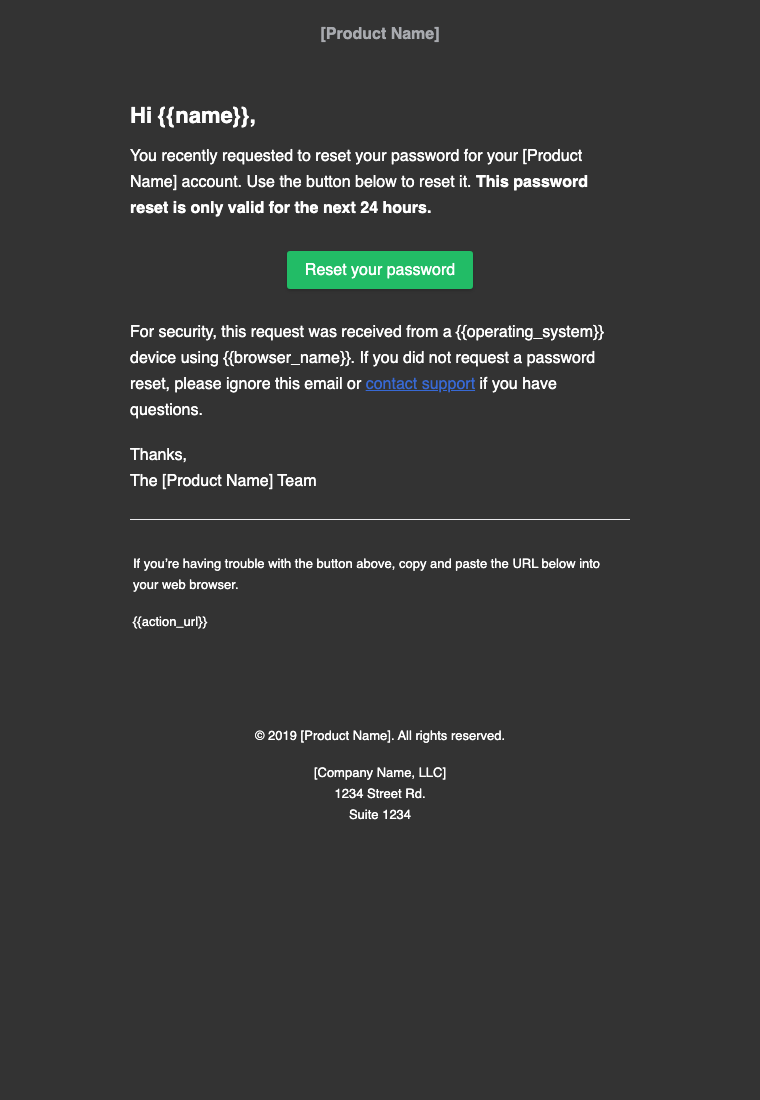
Welcome email template
A welcome email confirms the account exists and gives one next step. Variables: name, product_name, login_url.
<h1 style="margin:0 0 16px;font-size:22px;">Welcome to {{product_name}}, {{name}}</h1>
<p style="margin:0 0 16px;">Your account is ready. Sign in to get started.</p>
<p style="margin:24px 0;"><a href="{{login_url}}" style="display:inline-block;padding:12px 24px;background:#2563eb;color:#ffffff;text-decoration:none;border-radius:6px;font-weight:bold;">Sign in</a></p>
<p style="margin:0;">If you didn't create this account, reply and we'll close it.</p>
Email verification template
A verification email has one job: get the click before the link expires. Variables: name, verify_url, expires_in.
<h1 style="margin:0 0 16px;font-size:22px;">Confirm your email address</h1>
<p style="margin:0 0 16px;">Hi {{name}}, confirm this address to finish setting up your account.</p>
<p style="margin:24px 0;"><a href="{{verify_url}}" style="display:inline-block;padding:12px 24px;background:#2563eb;color:#ffffff;text-decoration:none;border-radius:6px;font-weight:bold;">Confirm email</a></p>
<p style="margin:0 0 8px;">This link expires in {{expires_in}}.</p>
<p style="margin:0;">Button not working? Paste this into your browser: {{verify_url}}</p>
Password reset email template
A password reset email says what happened, gives the link and says what to do if it wasn't the user. Variables: name, reset_url, expires_in, request_ip.
<h1 style="margin:0 0 16px;font-size:22px;">Reset your password</h1>
<p style="margin:0 0 16px;">Hi {{name}}, we got a request to reset your password.</p>
<p style="margin:24px 0;"><a href="{{reset_url}}" style="display:inline-block;padding:12px 24px;background:#2563eb;color:#ffffff;text-decoration:none;border-radius:6px;font-weight:bold;">Choose a new password</a></p>
<p style="margin:0 0 8px;">This link expires in {{expires_in}}. The request came from {{request_ip}}.</p>
<p style="margin:0;">Didn't ask for this? Ignore this email; your password stays the same.</p>
Order confirmation and receipt template
An order confirmation lists what was bought, what it cost and where to see the order. It loops over items. Variables: name, order_id, order_date, items (list of title, qty, price), order_total, order_url.
<h1 style="margin:0 0 16px;font-size:22px;">Thanks for your order, {{name}}</h1>
<p style="margin:0 0 16px;">Order {{order_id}} · {{order_date}}</p>
<table role="presentation" width="100%" cellpadding="0" cellspacing="0" style="border-collapse:collapse;">
{{#each items}}
<tr>
<td style="padding:8px 0;border-bottom:1px solid #e4e4e7;">{{title}} × {{qty}}</td>
<td align="right" style="padding:8px 0;border-bottom:1px solid #e4e4e7;">{{price}}</td>
</tr>
{{/each}}
<tr>
<td style="padding:12px 0;font-weight:bold;">Total</td>
<td align="right" style="padding:12px 0;font-weight:bold;">{{order_total}}</td>
</tr>
</table>
<p style="margin:24px 0;"><a href="{{order_url}}" style="display:inline-block;padding:12px 24px;background:#2563eb;color:#ffffff;text-decoration:none;border-radius:6px;font-weight:bold;">View your order</a></p>Shipping notification template
A shipping email gives the carrier, the tracking number and a delivery estimate. Variables: name, order_id, carrier, tracking_number, tracking_url, delivery_estimate.
<h1 style="margin:0 0 16px;font-size:22px;">Your order is on its way</h1>
<p style="margin:0 0 16px;">Hi {{name}}, order {{order_id}} shipped with {{carrier}}.</p>
<p style="margin:0 0 8px;">Tracking number: {{tracking_number}}</p>
{{#if delivery_estimate}}<p style="margin:0 0 8px;">Estimated delivery: {{delivery_estimate}}</p>{{/if}}
<p style="margin:24px 0;"><a href="{{tracking_url}}" style="display:inline-block;padding:12px 24px;background:#2563eb;color:#ffffff;text-decoration:none;border-radius:6px;font-weight:bold;">Track your parcel</a></p>
Invoice email template
An invoice email states the number, the amount and the due date and links to the full invoice. Variables: name, invoice_number, invoice_date, due_date, amount_due, invoice_url.
<h1 style="margin:0 0 16px;font-size:22px;">Invoice {{invoice_number}}</h1>
<p style="margin:0 0 16px;">Hi {{name}}, here is your invoice dated {{invoice_date}}.</p>
<p style="margin:0 0 8px;"><strong>Amount due:</strong> {{amount_due}}</p>
<p style="margin:0 0 8px;"><strong>Due date:</strong> {{due_date}}</p>
<p style="margin:24px 0;"><a href="{{invoice_url}}" style="display:inline-block;padding:12px 24px;background:#2563eb;color:#ffffff;text-decoration:none;border-radius:6px;font-weight:bold;">View invoice</a></p>
Payment failed email template
A payment-failed email says what failed, when you'll retry and how to fix it. Variables: name, plan_name, amount, retry_date, billing_url.
<h1 style="margin:0 0 16px;font-size:22px;">We couldn't process your payment</h1>
<p style="margin:0 0 16px;">Hi {{name}}, the {{amount}} charge for {{plan_name}} was declined.</p>
{{#if retry_date}}<p style="margin:0 0 16px;">We'll try again on {{retry_date}}.</p>{{/if}}
<p style="margin:24px 0;"><a href="{{billing_url}}" style="display:inline-block;padding:12px 24px;background:#2563eb;color:#ffffff;text-decoration:none;border-radius:6px;font-weight:bold;">Update payment method</a></p>
<p style="margin:0;">Update your card before then to keep your plan active.</p>
Security alert email template
A security alert says what happened, where and when, and gives one action if it wasn't the user. Variables: name, event, device, location, event_time, secure_url.
<h1 style="margin:0 0 16px;font-size:22px;">New activity on your account</h1>
<p style="margin:0 0 16px;">Hi {{name}}, we noticed this: {{event}}.</p>
<p style="margin:0 0 8px;">Device: {{device}}</p>
<p style="margin:0 0 8px;">Location: {{location}}</p>
<p style="margin:0 0 8px;">Time: {{event_time}}</p>
<p style="margin:24px 0;"><a href="{{secure_url}}" style="display:inline-block;padding:12px 24px;background:#2563eb;color:#ffffff;text-decoration:none;border-radius:6px;font-weight:bold;">This wasn't me</a></p>
<p style="margin:0;">If this was you, no action is needed.</p>
Plain-text version: send one for every type. The quickest way is to copy the sentences, drop the tags and keep the link on its own line. Amazon SES, for example, stores a separate Text part next to Html in each template (Amazon SES docs).
More free transactional email template libraries
If you want other designs, these are published by the vendors and open-source projects themselves. We list what each page says about itself; where a page doesn't state a license, check the repository before reusing the code commercially.
| Library | What it has | Format | License as stated |
|---|---|---|---|
| Postmark's email templates | Welcome, reset password, receipt, invoice, dunning, trial expiring, user invitation and more, 10 in total | HTML, built with MailMason; GitHub repo has three layouts of each | Called free and open source; no license named on the page or README |
| Mailgun's transactional email templates | Action, alert and billing emails | Responsive HTML, with pre-inlined versions | Called open source; no license stated in the README |
| React Email templates | 5 official and 19 community templates: verification, magic link, reset password, receipt, welcome | React components | React Email itself is MIT-licensed (React Email docs); the templates page states no license |
| MJML templates | Gallery with a transactional filter: welcome, reactivation, receipt, referral | MJML | The page states no license; MJML is described as open source |
MJML is a markup language that compiles to responsive, table-based HTML. React Email is a React and TypeScript library that renders components to an HTML string you can pass to any email service; its docs list integrations with 16 services, including all seven in our table. Both are tools for building your own templates in code rather than services that store them.
How transactional email template variables, conditionals and loops work
A template engine replaces placeholders with the data you send and can show or hide blocks and repeat rows. The engines differ by service, so a template written for one needs its tags rewritten for another. Here is the same three things in each.
| Service | Template language | Variable | Conditional | Loop |
|---|---|---|---|---|
| Mailtrap | Handlebars | {{name}} |
{{#if}}, {{else}}, {{#unless}} |
{{#each}} |
| Amazon SES | Handlebars (stored templates) | {{name}}, {{contact.firstName}} |
{{#if}}, {{else}} |
{{#each}} |
| Mailgun | Modified Handlebars | {{name}} |
if, unless, equal |
each, with |
| Resend | Own variable syntax | {{{NAME}}} with a type and fallback |
Not documented | Not documented |
| SendGrid | Handlebars | {{name}} |
{{#if name}} |
Loop helper documented |
| MailerSend | Limited Twig | {{name}} |
{% if %} |
{% for %} |
| Postmark | Mustachio | {{ name }} |
Section blocks and inverted {{^name}} |
{{#each}} |
Three details bite. Amazon SES doesn't escape HTML when it renders, so escape user-supplied text yourself (AWS docs). Mailtrap doesn't support custom helpers, so format dates and currencies in your code and pass the result as a variable (Mailtrap docs). Resend publishes a fallback value per variable, and it refuses to send if a variable has no fallback and no value (Resend docs).
Postmark's own FAQ says Mustachio has no if-else syntax: you test whether a value exists (Postmark support). A fallback line looks like this:
{{#coupon}}Your code: {{coupon}}{{/coupon}}
{{^coupon}}No coupon this time.{{/coupon}}
Which email services store transactional email templates
All seven services store templates and let you send one by ID or name through the API. They differ on editors, template logic, versioning and limits. The table shows what each vendor's own docs say, checked November 2026; "Not documented" means we found nothing on the vendor's own pages, not that the feature is missing.
| Service | Visual editor | Template logic | Via API | Versioning | Stored-template limit |
|---|---|---|---|---|---|
| Mailtrap | Drag & drop and HTML editors | Handlebars if / each / with, no custom helpers | Yes, template_uuid |
Not supported | 200 per account |
| Amazon SES | Not documented | Handlebars on stored templates | Yes, SendEmail and SendBulkEmail |
Not documented | 20,000 per Region, 500 KB each |
| Mailgun | Drag-and-drop Template Builder and HTML editor (Mailgun blog) | Handlebars if / unless / each / with / equal | Yes, template parameter |
Up to 40 versions per template | 100 per domain or account |
| Resend | No-code editor | Typed variables with fallbacks | Yes, template object with id and variables |
Version history | Not documented |
| SendGrid | Design Editor and Code Editor | Handlebars | Yes, template_id |
Multiple versions, one active | Not documented |
| MailerSend | Drag & drop, rich text and HTML editors | Twig if / for / filters | Yes, template_id and personalization |
Restore earlier design; up to 5 split-test versions | Not documented |
| Postmark | Not documented | Mustachio, layouts | Yes, Templates API | Not documented | 100 per server |
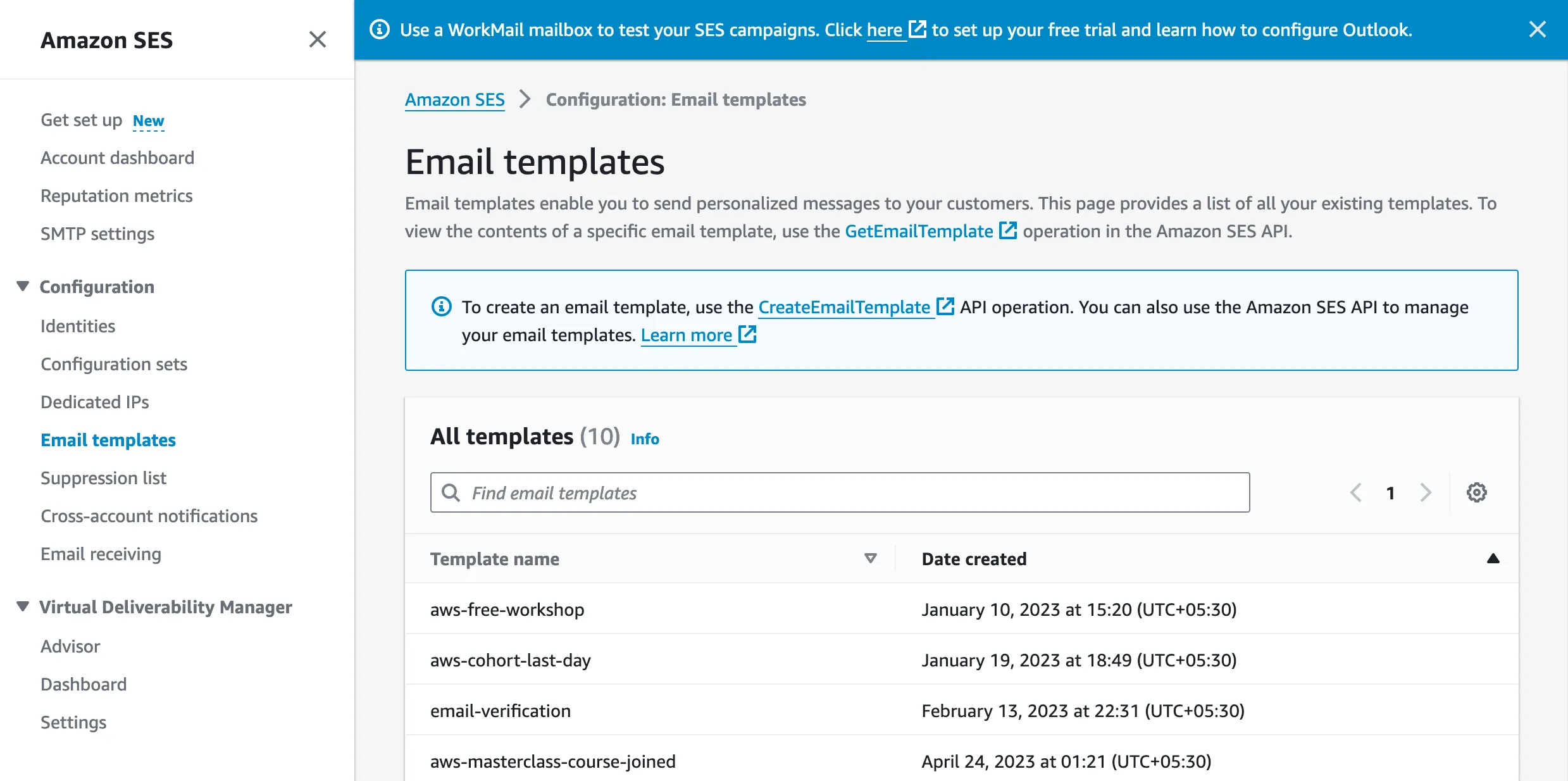
"Stored" means the template lives in the service and your request sends only an ID and data. The alternative is sending the full HTML in every request. Amazon SES offers both: stored templates, and inline templates that skip the 20,000-template limit (AWS docs). Two other details from the docs: Resend rejects a request that sends html or text together with a template ID, and MailerSend only updates templates created through its API (MailerSend API docs).
SMTP is where templates get awkward. Mailgun documents SMTP headers for templates, X-Mailgun-Template-Name and X-Mailgun-Template-Variables (Mailgun docs). SendGrid says its legacy X-SMTPAPI template method doesn't work with dynamic templates (Twilio docs). For the others we found no documented SMTP path, so assume API-only until you've checked.
Build transactional email templates in your service or in your code
Store templates in the service when people outside engineering edit copy, and keep them in code when developers own the design and want review and tests. Many teams mix: layout in code, copy in the service.
| Your situation | Better fit | Why |
|---|---|---|
| Marketing or support edits copy | Service-stored | No deploy to fix a typo |
| Many languages | Service-stored, or code with an i18n library | Depends on who translates |
| One codebase, one design system | Code (React Email, MJML) | Components, review and tests |
| You may switch providers | Code | Rendered HTML works with any service |
| Complex logic (discounts, tiers) | Code | Several services restrict helpers and filters |
Service-stored: easy to edit and no redeploy, but locked to one vendor's syntax and limits. In code: portable and testable, but every copy change ships through your release process.
Test a transactional email template before you send it
Check four things before a template goes live:
- Clients: open it in Gmail, Outlook and Apple Mail on desktop and phone. Outlook on Windows is the usual breaker, so keep the table-based layout and inline styles.
- Dark mode: check that text and buttons stay readable when a client inverts colors.
- Plain text: read the text part on its own; the link must be visible and clickable.
- Links and variables: send with real data and with a missing value, and confirm there is no empty
{{name}}or broken link.
Authentication, bounces and the rest of the pre-send checklist are in transactional email best practices.
Transactional email templates: FAQ
What is a transactional email template?
A transactional email template is a reusable email layout with placeholders, such as {{name}} or {{reset_url}}, that your app or email service fills in for each message. It keeps receipts, password resets and shipping notices consistent and lets you change wording without rewriting code.
Where can I get free transactional email templates?
Use the eight templates on this page: welcome, email verification, password reset, order confirmation, shipping, invoice, payment failed and security alert. Postmark, Mailgun, React Email and MJML also publish free libraries, listed above with what each page says about licensing.
Which email APIs support templates and variables?
All seven services we compared do: Mailtrap, Amazon SES, Mailgun, Resend, SendGrid, MailerSend and Postmark. Each stores templates and accepts variables through its API. Editors, template logic and limits differ; the table above has each vendor's documented details, checked November 2026.
Can I send a template with variables through SMTP?
Sometimes. Mailgun documents SMTP headers for templates and variables. SendGrid says its legacy SMTP method doesn't work with dynamic templates. For the other services we found no documented SMTP route for stored templates, so use the API or send rendered HTML.
Do I need a template builder, or can I write HTML?
You can write HTML. Mailtrap, Mailgun, SendGrid and MailerSend offer both a visual editor and an HTML or code editor. Amazon SES and Postmark's documented workflows are code-first. A builder helps non-developers; HTML gives full control.
Should I store templates in my code or in the email service?
Store them in the service if non-developers edit copy. Keep them in code if developers own the design and want version control and tests. Code-rendered HTML also moves between providers, while service templates use each vendor's own syntax.