On this page
Transactional Email Best Practices
Good transactional email comes down to four things: authenticate your sending domain, keep transactional mail on its own stream, handle bounces and retries so no email is lost or sent twice, and keep each message short, clear and expected. The 15-point checklist below covers each in a few lines and links to the full guide.
Most checklists stop at "write a good subject line". But when a password reset doesn't arrive, the cause is usually further back: a domain nobody authenticated, a bounced address that kept getting mail, or a retry that fired twice. So this list follows the life of a message, from setup to monitoring. Each item is one line to do, a couple of lines on why, and a link if you want the long version.
Transactional email best practices: set up sending
Setting up transactional sending means getting four things in place before the first email goes out: domain authentication, a separate sending subdomain, a service built for the job, and a decision on IP type.
1. Authenticate your domain with SPF, DKIM and DMARC. Publish SPF and DKIM records for the domain you send from, then add a DMARC policy. Google requires SPF or DKIM from every sender and, for anyone sending more than 5,000 messages a day to Gmail, SPF, DKIM and DMARC together (Google's email sender guidelines, checked November 8, 2026). Yahoo's rule is the same: SPF or DKIM for everyone, both plus DMARC for bulk senders (Yahoo Sender Hub, checked November 8, 2026). Even below those volumes, a password reset without authentication is the first thing a mailbox provider doubts. Setup steps: SPF, DKIM and DMARC explained and what is DMARC.
2. Send transactional mail from its own subdomain and stream. Use something like mail.example.com for receipts and resets, and keep newsletters and promotions elsewhere. Reputation attaches to the domain and IP you send from, so a bad campaign shouldn't be able to drag your login emails into spam. Many services also offer separate streams inside one account. See transactional vs marketing email.
3. Use a service built for transactional sending. Sending from your own server or a mailbox works until it doesn't: no bounce handling, no logs, no reputation tooling. A transactional email service gives you an API or SMTP relay plus suppression, logs and webhooks out of the box. Compare them in best transactional email services.
4. Choose dedicated or shared IP on purpose. A shared IP is fine at low volume because the provider has already built its reputation; a dedicated IP gives you your own but needs warming up and steady volume. Plenty of senders never need one. Read dedicated vs shared IP and IP warm-up before paying for one.
Protect transactional email deliverability
Protecting deliverability means keeping bounces, complaints and your sender reputation under control so mailbox providers keep placing your mail in the inbox.
5. Suppress hard bounces and complaints, and never mail them again. A hard bounce is a permanent failure such as a mailbox that doesn't exist; a soft bounce is temporary. SMTP separates them by reply code: 4yz codes are transient and 5yz are permanent (RFC 5321, section 4.2.1). Keep a suppression list so a dead address stops getting mail, and don't buy lists or mail addresses you haven't confirmed; both produce the bounces that damage reputation. Most services suppress automatically; check yours does. Guides: hard vs soft bounce, suppression list and email deliverability best practices.
6. Watch your sender reputation and spam complaint rate. Google and Yahoo both say to keep your spam rate below 0.3%. Google measures it in Postmaster Tools and also recommends staying below 0.10%; Yahoo calculates its rate from mail delivered to the inbox, so your own numbers may differ from its (both sources checked November 8, 2026: Google, Yahoo). Register your domain in Google Postmaster Tools so you can see it. More in sender reputation.
7. Meet the Gmail and Yahoo sender requirements. Beyond authentication and the spam rate, Google asks all senders for TLS, valid forward and reverse DNS records, and RFC 5322 message formatting (Google, checked November 8, 2026). Bulk senders have extra rules, covered in Gmail and Yahoo bulk sender requirements. If your mail is landing in spam, see why emails go to spam and the deliverability notes in our comparison.
How to write and design a transactional email
A good transactional email tells the reader what happened, what to do next and why they got it, in a layout that works in any inbox.
8. Make the sender and subject obvious. Use a recognisable From name, a subject that says what happened ("Your password reset link") and a pre-header that adds the detail. Use a reply address that someone reads, or say clearly that replies aren't monitored. People open transactional mail because they're expecting it; don't make them hunt for it.
9. One purpose, one main action, exact details. A reset email has one button. A receipt has the amount, date and order number. Write dates and times with a time zone ("November 8, 2026, 14:30 UTC"), because "tomorrow at 9" means different things in Lisbon and Lima. For layouts to copy, see transactional email examples and templates.
10. Send a plain-text part and a mobile-friendly layout. Send HTML and plain text together as a multipart message, and use a single-column layout that reads on a phone. If the HTML fails to render, the text version is still a working reset link.
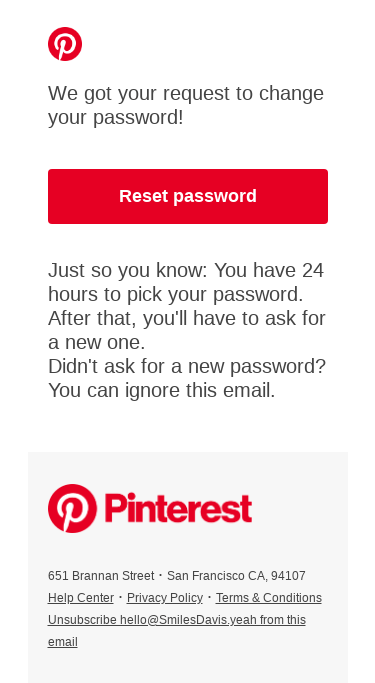
11. Say why they got it, and know when an unsubscribe is required. One line ("You're receiving this because you requested a password reset") answers the "did I sign up for this?" question. As for unsubscribe: the FTC says a transactional or relationship message is one whose primary purpose is to facilitate an agreed transaction or update the customer on an ongoing one, and these messages are exempt from most CAN-SPAM provisions (FTC CAN-SPAM compliance guide, checked November 8, 2026). Add promotion and the primary-purpose test applies: if the subject line reads as promotional, or the transactional content isn't mainly at the beginning, the message counts as commercial. The Google and Yahoo one-click unsubscribe rules name marketing and subscribed messages, and neither page says anything about transactional mail. The format itself is defined in RFC 8058. That's US law and two mailbox providers' rules, not legal advice; EU rules differ. See one-click unsubscribe.
Build transactional email sending that survives failures
Sending that survives failures queues every message, retries only what can succeed, and makes sure one event produces one email.
12. Queue sends and retry with backoff, but not hard bounces. Don't send inside the web request that triggered the event: put the email on a queue, so a slow API doesn't block a signup. Retry timeouts, rate-limit responses and temporary failures with increasing delays; never retry a permanent failure. For reference, RFC 5321 says an SMTP client's retry interval should be at least 30 minutes and that giving up generally takes at least 4 to 5 days (RFC 5321, section 4.5.4.1, checked November 8, 2026). That's the rule for mail servers talking to each other. A password reset needs a much shorter clock, because the link is useless after a few minutes, so retry quickly and then stop.
13. Make sends idempotent: one event, one email. If your code retries after a timeout, the first request may have gone through, and the customer gets two reset emails. Idempotency keys fix that: you send a unique key with each request and the service ignores a repeat. Resend, for one, accepts an Idempotency-Key header, keeps keys for 24 hours and returns the original response for a repeated key (Resend docs, checked November 8, 2026). Not every service offers this, so check yours; if it doesn't, store a "sent" flag keyed to the event in your own database.
14. Use webhooks and keep per-message logs. Webhooks tell your app when a message is delivered, bounced or marked as spam, so you can suppress the address and stop retrying. Logs answer the support question "I never got the email" in seconds. How long a service keeps them varies by plan; our best transactional email services list gives the retention for each. See email APIs with webhooks.
Monitor and test transactional email
Monitoring means watching delivery, bounce and complaint rates over time and testing every template before it reaches a customer.
15. Track your rates, test before production and review after changes. Alert when bounces or complaints move; the only hard thresholds we can source are the 0.3% spam rate above, so treat anything else as your own baseline. Send every template to a sandbox inbox first, and look at it in the main mail clients and on mobile. Then re-check after each change: a new domain, a new template or a new provider. Most deliverability problems start with a change nobody re-tested.
Transactional email best practices checklist (printable)
Tick these off before launch and again after any change.
| # | Check | Area | Done |
|---|---|---|---|
| 1 | SPF, DKIM and DMARC published for the sending domain | Setup | ☐ |
| 2 | Transactional mail on its own subdomain or stream | Setup | ☐ |
| 3 | Sending through a transactional service (API or SMTP) | Setup | ☐ |
| 4 | Dedicated or shared IP chosen deliberately | Setup | ☐ |
| 5 | Hard bounces and complaints suppressed; no bought lists | Deliverability | ☐ |
| 6 | Spam rate watched in Postmaster Tools, below 0.3% | Deliverability | ☐ |
| 7 | TLS, reverse DNS and RFC 5322 formatting in place | Deliverability | ☐ |
| 8 | Clear From name, subject and working reply address | Message | ☐ |
| 9 | One purpose, one action, dates with time zones | Message | ☐ |
| 10 | Plain-text part and mobile layout | Message | ☐ |
| 11 | "Why you got this" line; unsubscribe decision made | Message | ☐ |
| 12 | Queued sends, backoff retries, no retry on hard bounces | Reliability | ☐ |
| 13 | Idempotency: one event, one email | Reliability | ☐ |
| 14 | Webhooks for delivered, bounced, complained; logs kept | Reliability | ☐ |
| 15 | Rates tracked, templates tested, reviewed after changes | Monitoring | ☐ |
Transactional email best practices: FAQ
What are the best practices for transactional email?
Authenticate your domain with SPF, DKIM and DMARC, send transactional mail from its own subdomain or stream, suppress bounced addresses and retry failed sends safely, and keep each message short, clear and expected. The 15-point checklist on this page covers each area with sources.
Do I need SPF, DKIM and DMARC for transactional email?
Yes. Google and Yahoo require SPF or DKIM from every sender, and SPF, DKIM and DMARC together from bulk senders (Google: over 5,000 messages a day to Gmail). Publishing all three is the safe default for transactional mail. Sources checked November 2026. See SPF, DKIM and DMARC explained.
Should transactional and marketing email use the same domain?
Better not. Keep them on separate subdomains (for example mail.example.com and news.example.com), or at least separate streams, so a complaint-heavy campaign can't damage the reputation of your password resets and receipts. See transactional vs marketing email.
How should I handle bounces?
Treat permanent failures (SMTP 5yz codes) as hard bounces: add the address to a suppression list and stop sending. Treat temporary failures (4yz codes) as soft bounces and retry with backoff. Use webhooks so your app learns about bounces as they happen. See hard vs soft bounce.
How many times should I retry a failed transactional email?
There is no standard count. RFC 5321 says SMTP clients should wait at least 30 minutes between retries and generally keep trying for 4 to 5 days, but a password reset link is stale within minutes. Retry timeouts and temporary errors a few times with backoff, then stop; never retry hard bounces.
Do transactional emails need an unsubscribe link?
Purely transactional emails such as receipts and password resets are exempt from most CAN-SPAM provisions, per the FTC (checked November 2026). Add promotional content and the message may count as commercial. Google's and Yahoo's one-click unsubscribe rules name marketing and subscribed mail. See one-click unsubscribe.
How do I stop duplicate transactional emails?
Make sends idempotent: attach a unique key per event so a retried request is ignored, as Resend's Idempotency-Key header does for 24 hours. If your service has no such feature, record a "sent" flag for the event in your own database before you retry.